
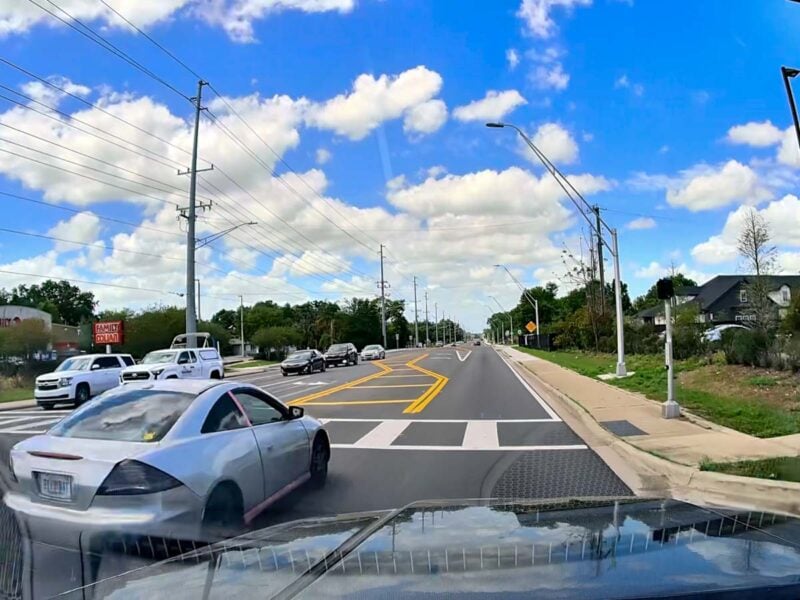
Dash cameras are increasingly popular among drivers, and many corporations install them on all their vehicles. Some vehicles, like Teslas, install them in multiple locations around the vehicle. But are they overblowing their usefulness to increase sales? Or should you seriously consider installing a dash camera on your work truck?
I’ll walk you through my experience using a dash camera on my personal truck that doubles for work use. Plus, I’ll show you what to look for if you decide it’s right for you along with some practical tips.
Making the Case For Installing a Dash Cam on Your Work Truck
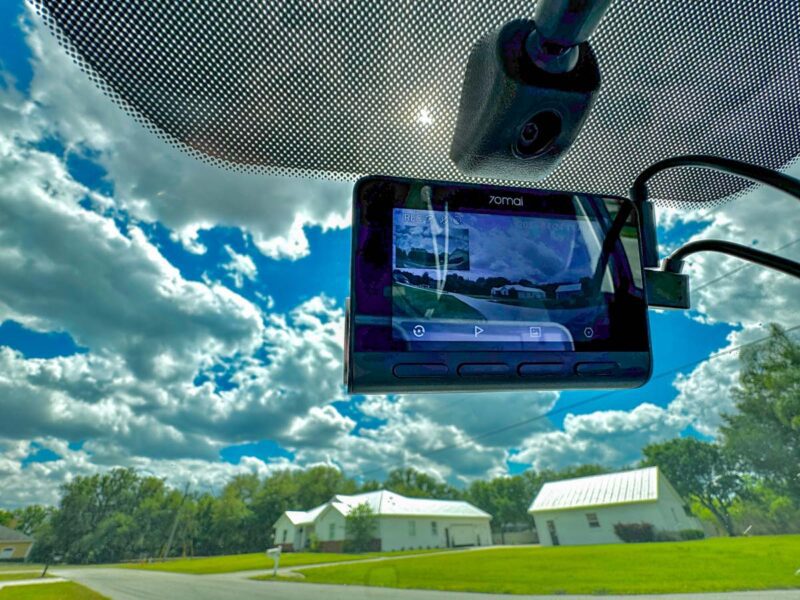
One of the top trends on social media right now is sharing dash cam footage. The most viral videos capture dramatic accidents as they unfold, while others point out bad driving habits and close calls. While those videos often feed our twisted desire for “train wreck entertainment”, that’s not the primary reason to have one.
It’s about protecting you and your business.
Getting in an Accident
The number one reason to install a dash cam is to provide evidence in the case of an accident. Anytime a work truck is involved in a wreck, there’s already plenty to do between dealing with insurance, getting your vehicle repaired and back in service, handling any medical or workers’ comp claims, and more.
But when the owner of the other vehicle discovers your truck is attached to a business, you can expect injury lawyers to get involved and squeeze every penny they can from you and your insurance company, in addition to your own potential defense legal expenses. And you can multiply that headache if it’s a multi-vehicle accident.
By installing a dash camera, you can capture valuable evidence to protect you and your business. It not only can show exactly what happened, but it can also capture the speed you were traveling and GPS data.
Avoiding the Cost of an Insurance Scam
While they tend to be rare, there are plenty of people with malicious intentions on and around the road. Insurance scammers set up conditions that allow them to initiate an accident for the purpose of collecting an insurance payout.
One of the oldest tricks in the playbook is to cut you off and then slam on the brakes, causing a rear-end “accident”. In almost every case, the driver who rear-ends the person in front of them is at fault. If no one stops to back up your story, it’s your word against theirs.
Another form comes from pedestrians. One version starts by pushing a bicycle out in front of your truck as you’re driving. Once you hit it and stop, one person lies down in the road and pretends they were hit while the other (or others) act as “witnesses”.
In either of these scenarios, or any of the multitude of other scams, you have the evidence you need to prove your innocence and help law enforcement prosecute the offenders.
Backing Up Your Employees
If you’re running multiple work trucks or vans, it can be beneficial to have dash cameras on your entire fleet. Just like you can get in an accident or get into a potential insurance scam, so can your employees.
What’s worse for them is not only all the things that you would have to deal with in the aftermath, but they also have to convince you that they weren’t at fault. Even if you decide to take them at their word, their can be lingering distrust of whether you got the actual truth or if they were just trying to protect themselves and their job.
With a dash camera, you can review the footage and see for yourself what happened. You’ll have the evidence you need to protect your business, back up your employee, or, in the most unfortunate outcome, terminate their employment if they were negligent or tried to push a lie.
Here’s What We Look For in a Dash Camera
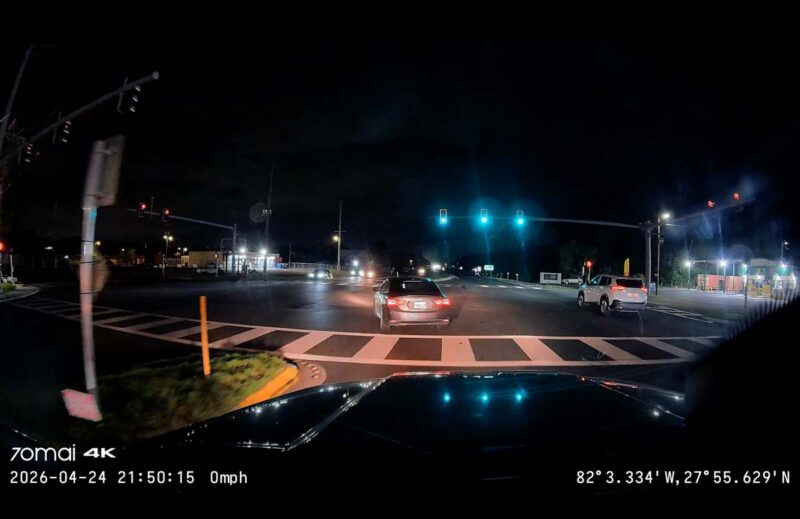
The driving behavior of some people in our area of Central Florida is horribly unsafe and completely inexcusable. We come across drivers nearly every day who should have their driving privileges suspended or revoked.
Having a dash camera can offer peace of mind, but not every model is as helpful as it could be. Here are the things I look for:
- 4K Front Camera: Ensure you can zoom in to read license plates clearly.
- Rear Camera: While it takes more effort to install, this tells a more complete story when reckless drivers come up from behind and can’t be seen by your front camera. 4K isn’t as critical here since your front camera will catch the license plate details.
- Night Vision: High-quality night vision capabilities can show details that less capable cameras lose.
- Crash Detection: Automatically preserves video so it’s not overwritten and lost when sensors detect a collision.
There are other features that can be helpful, like audio warnings or AI object detection. They’re nice to have, but not as critical.
Dash Camera Tips
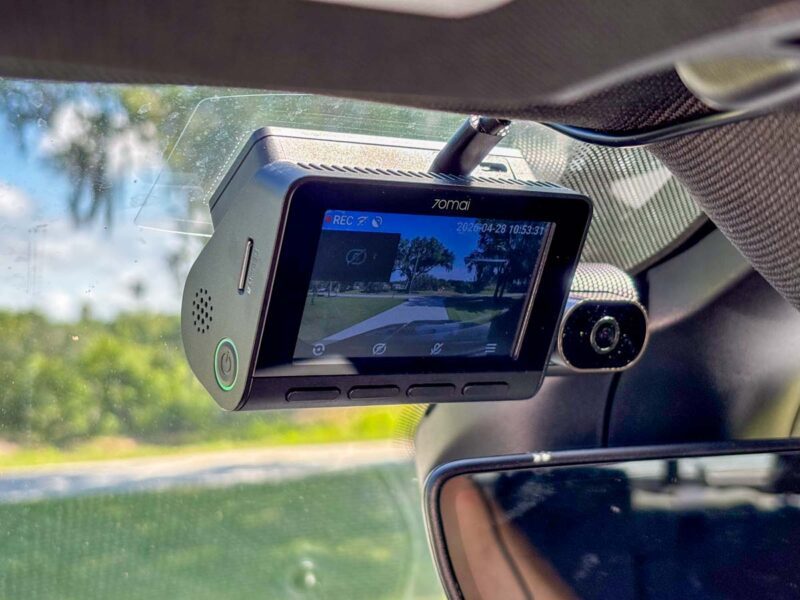
There are a few things to keep in mind once you install a dash camera. Some are best practices no matter what vehicle it’s on, while others are specific to those on your work truck.
Dash Cameras Can Be Susceptible to Heat Damage
Internal vehicle heat can kill your dash camera. I had to replace mine after just two years because of that. However, a simple windshield sunscreen or parking in the shade can reduce the vehicle’s temperature enough to keep it safe.
Check Your Settings
Some cameras boast 4K footage and 60 FPS (frames per second) capability. However, most can’t do both at the same time. If you want the highest resolution, you often have to drop down to 30 FPS. If you want the fastest frame rate for the clearest image, you have to drop down to 2K resolution.
Personally, I run at 4K and 30 FPS. Even though I get a little more image blur, I’m able to zoom in tighter to read license plates more easily.
Don’t Share Video on Social Media
It’s one thing for someone to share video from their personal vehicle’s dash camera. It’s another when it comes from a business.
Remember, the goal of your camera is to provide evidence that protects you and your employees. Even when you don’t need the footage for yourself or your business, it can help in providing evidence on behalf of someone else. You don’t want to taint the investigative process by releasing footage you or law enforcement need.
Even if it’s not needed for legal purposes, it can be unwise to share footage. If you share a video to social media or with a news agency and your business is credited for the footage, it can spark outrage you don’t want. People who disagree with your decision may disparage you online, and there are plenty of people who don’t mind leaving fake Google business reviews just because they don’t like you.
Don’t Allow (Most) Employees to Install the App
Unless there’s no way around it, avoid letting employees have access to dash camera footage. They often don’t have the best interest of your business in mind, and are more likely to share something they think will make them popular or go viral online. The exceptions are those to whom you delegate the responsibility of handling the footage for review or legal purposes.
Once the footage is off your camera, it’s out of your control. Be sure to communicate your expectations in training, and have a disciplinary plan for any violations.
You Are Most Likely Not Compelled To Share Footage
In most cases, owning a dash camera does not compel you to share footage with law enforcement or your insurance company. You have a right to not incriminate yourself. There may be times when you prefer not to get involved. That’s your call.
That said, if it’s in your power to assist law enforcement in pursuing justice, my encouragement is to do the honorable thing, even if it comes at the cost of your time and convenience. Making a sacrifice for the just cause of someone else rarely goes unrewarded in the long run, even if it’s limited to your own personal growth and maturity.
Regardless, check local laws so you know what to expect.
Ready to Buy? Here’s What We’re Using
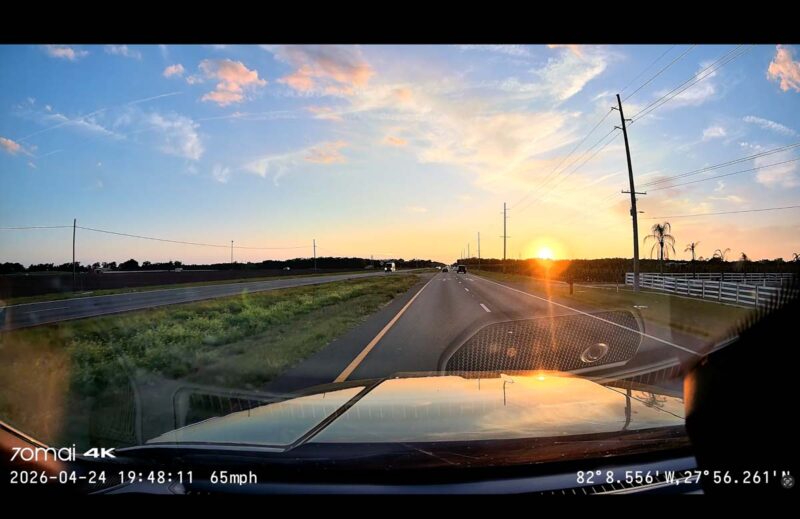
The footage featured in this article came from two dash cameras we’re currently using. Both feature Sony 4K Starvis 2 camera sensors that provide outstanding image clarity.
I’m using the 70mai T800 Premium Set. It includes 4K front and rear cameras, a 1080P interior camera, and a 512 GB micro SD card. Here are some highlights:
- Three Channel Recording: Get the complete picture of what’s going on during your drive
- Front and Rear 4K Image Quality: Pairs with 70mai’s MaiColor Vivid+ Solution, Night Owl Vision, and Lumi Vision to ensure crisp details in any lighting or weather conditions
- 1080P Infrared Interior Camera: Shows drivers and passengers, and offers ride share drivers an extra layer of protection
- 4G Connectivity: Keeps you in constant contact with your car anywhere you have a cell signal
- Buffered Emergency Recording: Captures up to 3 minutes before a collision to preserve the full chain of events
- AI Motion Detection: Automatically activates the camera if suspicious movement near your vehicle
Noelle is using the 70mai A810S that runs $199.99 for a 4K front and 1080P rear camera set, plus a 128 GB micro SD card.
- Dual Channel Recording: See what’s happening in front and behind you
- Front 4K Image Quality: Pairs with 70mai’s MaiColor Vivid+ Solution, Night Owl Vision, and Lumi Vision to ensure crisp details in any lighting or weather conditions
- 4G Connectivity: Keeps you in constant contact with your car anywhere you have a cell signal
- Buffered Emergency Recording: Captures up to 3 minutes before a collision to preserve the full chain of events
- ROI (Region of Interest) Algorithm: Enhances license plates to make them easier to read
- Dual Channel Recording: Supports an optional rear-facing camera or exterior-mounted backup camera
- AI Motion Detection: Automatically activates the camera if suspicious movement near your vehicle